



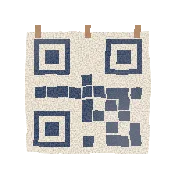


Not sure where to find it? Here is where it lives
Paste a link, or a whole message with a link in it. We clean it as you type.
How the code looks
Style
White border
Keep the border unless your design already leaves white space round the code.
Colour
Navy
PNG size
Business card size, 1050 by 600 pixels. For a name badge, a last slide or a table at an event.
This tool runs in your browser. Your link is never sent to us, and nothing is stored.
Your LinkedIn QR code
It opens your profile when scanned. Test it with your phone camera before you print.
SVG stays sharp at any size. Use it for print and slides.
A scan to connect card
Scan to connect on LinkedIn
linkedin.com/in/your-name
Your LinkedIn URL is your address. Make it a clean one
Your LinkedIn URL is the link to your public profile. It looks like linkedin.com/in/your-name, and it goes on your CV, your email signature, your website and the back of your business card.
The trouble is the link you copy is rarely the clean one. The app adds tracking to the end. A browser in another country gives you fr.linkedin.com. Copy it from the wrong page and you get /details/experience/ on the end. And unless you changed it, LinkedIn's default has a string of letters and numbers after your name.
This LinkedIn URL finder takes whatever you paste, gives you back the clean address, and tells you what it fixed. Then it turns that address into a QR code you can print, put on a slide or wear on a badge. It all runs in your browser, so your link never reaches us.
Where to find your LinkedIn profile URL
On a computer, it is the address of your own profile page. On your phone, LinkedIn keeps it under Contact info. These are LinkedIn's own steps, from its help page.
The app's Share button works too, but the link it gives you has tracking on the end. Paste it in the tool above and we strip it. Steps from LinkedIn Help, checked October 2026.
- On a computer
- Click the Me icon at the top of LinkedIn, then View Profile. Your URL is in the address bar, and on the right under Public profile & URL.
- On an iPhone
- Tap your profile photo, then tap it again to open your profile. Tap More next to Add section, then Contact info. Your profile URL is listed there.
- On Android
- Tap your profile photo to open your profile. Scroll to the Contact section. Your profile URL is listed there.
- In a phone browser
- Open linkedin.com, go to your profile, and copy the address. The tool cleans the mobile version for you.
How to customise your LinkedIn URL
LinkedIn gives every profile a default URL: your name, then a code like -4b2a1c97. You can swap it for a custom one with just your name. It is free and takes a minute.
On a computer: click Me, then View Profile. Click the Edit icon next to Public profile & URL on the right. Click the Edit icon next to your URL, type the new ending and click Save. In the app: open your profile, go to Contact info, tap Edit, then tap your profile URL. LinkedIn opens the same settings page.
Before you print it anywhere, pick the one you will keep. If you change it later, LinkedIn keeps the old one linked to you for 6 months, and after that your printed QR codes stop working.
| Rule | What it means |
|---|---|
| Length | 3 to 100 characters |
| Characters | No spaces, symbols, special characters or the word LinkedIn |
| Changes | Up to 5 times in 6 months, then you wait another 6 months |
| Your old URL | Still points to you for 6 months, unless you unlink it |
| An unlinked URL | Free for someone else to claim after 7 days |
| Who gets a name | First come, first served |
How to make a LinkedIn QR code that scans
LinkedIn's app has its own QR code: tap the QR icon in the search bar, then My code. It is handy when the other person is standing in front of you. It only exists in the mobile app, though, not on a computer, as LinkedIn Help says.
Ours is for everything else: a file you can print on a card, a poster, a name badge or the last slide of a talk. You choose the colour and the style, download a PNG up to 2048 pixels or an SVG that stays sharp at any size, and it points to your clean URL.
- Dark on light
- Keep the code dark on a white or pale background. All 5 of our colours are dark enough.
- Keep the white border
- Phones find a code faster with quiet space round it. Drop it only if your design has its own.
- Big enough
- On a business card, about 2 cm wide is plenty. On a poster or a slide, go bigger: people scan from further away.
- Test it first
- Point your phone camera at the screen before you print 500 of anything.
Why LinkedIn links get messy, and what we fix
Most messy links still open the right profile. They just look long and untidy on a CV or a card. Here is what we see most, and what the tool does with each.
| You paste | What it is | What we do |
|---|---|---|
| …/in/name?utm_source=share… | Tracking from the app's Share button | Remove it |
| fr.linkedin.com, m.linkedin.com | A country or mobile address | Change it to www.linkedin.com |
| …/in/name/details/experience/ | A page inside the profile | Cut it back to the profile |
| linkedin.com/in/Jane-Doe | Capital letters | Make it lower case |
| lnkd.in/… | A short link | Explain how to get the full one |
| linkedin.com/company/… | A company page | Clean it and tell you it is not a profile |
| linkedin.com/posts/… | A post | Ask for the profile link instead |
| linkedin.com/sales/… | A Sales Navigator link | Ask for the profile link instead |
A QR code gets you the people in the room. We get you the rest
A code on a badge works for the people you meet at an event. Reaching the thousands who were not there is a different job. That is what Personade does: it finds the people you want to meet on LinkedIn, sends each a connection invite and follow-ups from your own account, and stops the moment they reply.
It runs inside safe limits, up to 100 new invites a week per account, so your profile, the one on your QR code, stays safe. Pro is $49 a month. See how the sequences work.
How the URL finder and QR code generator works
Paste any LinkedIn link
A link from the app, from your browser, or a whole message with a link in it. Just your username works too.
Get the clean URL
We give you https://www.linkedin.com/in/your-name/ and list everything we changed to get there.
Download your QR code
Pick a colour and a style, then save a PNG, an SVG or a ready-made scan to connect card.
What this tool will and will not do
- It runs in your browser. Your link is never sent to us, and nothing is stored.
- It cannot open lnkd.in short links. Only LinkedIn knows where they lead, so open the link and copy the full address.
- It does not check that a profile exists. A typo still gives a tidy URL, so open it once to make sure.
- Your QR code points to the URL you give it, for good. If you change your custom URL later, print a new one.
- Member ID links from Sales Navigator or Recruiter are long and hard to read. Open the profile and copy the readable one.
- Company and school pages work, and we tell you so, in case you meant your own profile.
Frequently asked questions
Straight answers on how it works, how it keeps your account safe and what it costs.
Still wondering?
help@personade.comIt is the web address of your public profile, in the form https://www.linkedin.com/in/your-name/. Anyone with the link can open your profile, and it is what you put on a CV, an email signature or a business card.
In the app, tap your profile photo to open your profile, then find Contact info. On an iPhone it is under More, next to Add section. On Android it is in the Contact section. Your profile URL is listed there. You can also tap Share and copy the link, then paste it here to strip the tracking.
On a computer, click Me, then View Profile, then the Edit icon next to Public profile & URL on the right. Click Edit next to your URL, type the new ending and save. It can be 3 to 100 characters, with no spaces, symbols or the word LinkedIn, and you can change it up to 5 times in 6 months.
That is the default URL LinkedIn made when you joined. It adds a code after your name so every address is unique. You can replace it with a custom one, as long as nobody has taken that name already.
Yes, in the mobile app: tap the QR icon in the search bar, then My code. It is not available on a computer. Our generator works on any device and gives you a PNG or SVG file in your colours, ready to print.
Not on its own. The code holds your URL directly, with no redirect of ours in between, so it works for as long as that URL does. If you change your custom URL, LinkedIn keeps the old one linked to you for 6 months. After that, print a new code.
No. A web page cannot follow a lnkd.in link to see where it leads, only LinkedIn can. Open it in your browser, wait for the profile to load, and copy the full address from the address bar.
It is free, with no signup and no limit. Everything happens in your browser: the link is cleaned and the QR code is drawn on your device. Nothing is sent to us and nothing is stored.
Yes. Paste the company page link and you get a clean URL and a code. We point out that it is a company page, in case you meant your own profile.
PNG for anything on a screen or a quick print, at 512, 1024 or 2048 pixels. SVG for print shops and design tools: it stays sharp at any size.
Further reading
- LinkedIn profile auditYour URL is ready. Now see your profile the way a stranger does when they scan it.
- LinkedIn profile checkerCheck that the profile your QR code opens looks real and trustworthy.
- LinkedIn sequencesSend your connection invite and follow-ups automatically, and stop the moment someone replies.
- LinkedIn outreachThe whole workflow, from finding leads to booking the call, for founders and sellers.
- For students and graduatesCareer fair coming up? Put the code on your badge, then message alumni and recruiters.
More free toolsAll free tools
- LinkedIn AI detectorPaste a connection note, DM, InMail or post. See which lines sound like AI, why, and get a human rewrite that fits LinkedIn's limits.
- LinkedIn profile trust checkerPaste your profile link. See which signals make it look real or fake to LinkedIn and to the people you contact, and how to fix them.
- LinkedIn profile auditWill strangers accept and reply? Score your profile against the buyer you want, preview your invite card, and get a new headline and About opener.
- LinkedIn message generatorPaste the link to someone's profile and say what you offer. Get 3 connection notes, a first message and 2 follow-ups, written for that one person.
- Loom video downloaderPaste a public Loom link and keep the MP4. No account, no watermark.
- Sales Navigator price calculatorWhat Sales Navigator really costs for your team, monthly or yearly, per lead and per reply. Plus what automating the outreach on top adds.
- LinkedIn banner makerMake a LinkedIn banner at 1584 x 396 px from a template, and see what your profile photo covers on desktop and on phones before you upload.
- LinkedIn banner checkerCheck the LinkedIn banner you already use: the size, the sharpness, and what your profile photo covers on desktop and on phones.
- Best time to post on LinkedInThe best days and hours to post on LinkedIn from 5 published studies, moved to your own timezone when your audience lives somewhere else.